System Requirements
- Operating system: Windows 10, Windows 11 (21H2, 22H2, 23H2, 24H2, 25H2)
- Processor: AMD & Intel
- Video card: AMD & NVIDIA
- Client: Steam
- Enabled - enable/disable Aimbot
- Aim Mode - mode of Aimbot operation (always, on key press)
- Aim Key - key to activate Aimbot
- Hitboxes - select a bone for Aimbot targeting (head, neck, body, arms, legs)
- Priority Hitboxes - prioritize certain bones for targeting
- FOV Type - type of Aimbot field of view (static, dynamic)
- FOV - field of view for Aimbot
- Smooth - smoothness level of Aimbot movements
- Auto Wall - automatically shoot through walls when possible
- Auto Fire - automatically fire when an enemy is in your crosshair
- pSilent Aim - a second type of Aimbot, bullets hit the target but the crosshair does not move
- RCS - recoil control system (configurable)
- Friendly Fire - when enabled, aim will also target teammates
- Ignore Smoke/Flash - when enabled, aim will not fire through smoke or while flashed
- Delay Settings - configure delay after a kill or while switching targets
- Min Damage - the shot occurs only if the damage corresponds to the set value
- Multipoints - additional aiming points within hitboxes for a more legitimate gameplay experience
- Auto Stop - automatically stops movement before firing to improve accuracy
- Auto Scope - automatically activates scoping when using a weapon with a scope
- Auto Pistol - automatic pistol firing mode
- Auto Revolver – automatic revolver firing
- Humanize RCS – more natural RCS behavior with preview and customization
- Return Crosshair – automatically returns the crosshair to its original position after RCS activation
- Humanization – allows you to more precisely adjust the pattern of your aim at the target
- Seeded – adds a unique seed number for the aimbot pattern
- Auto Stop – adjusts the smoothness and force of the aim stop before shooting begins
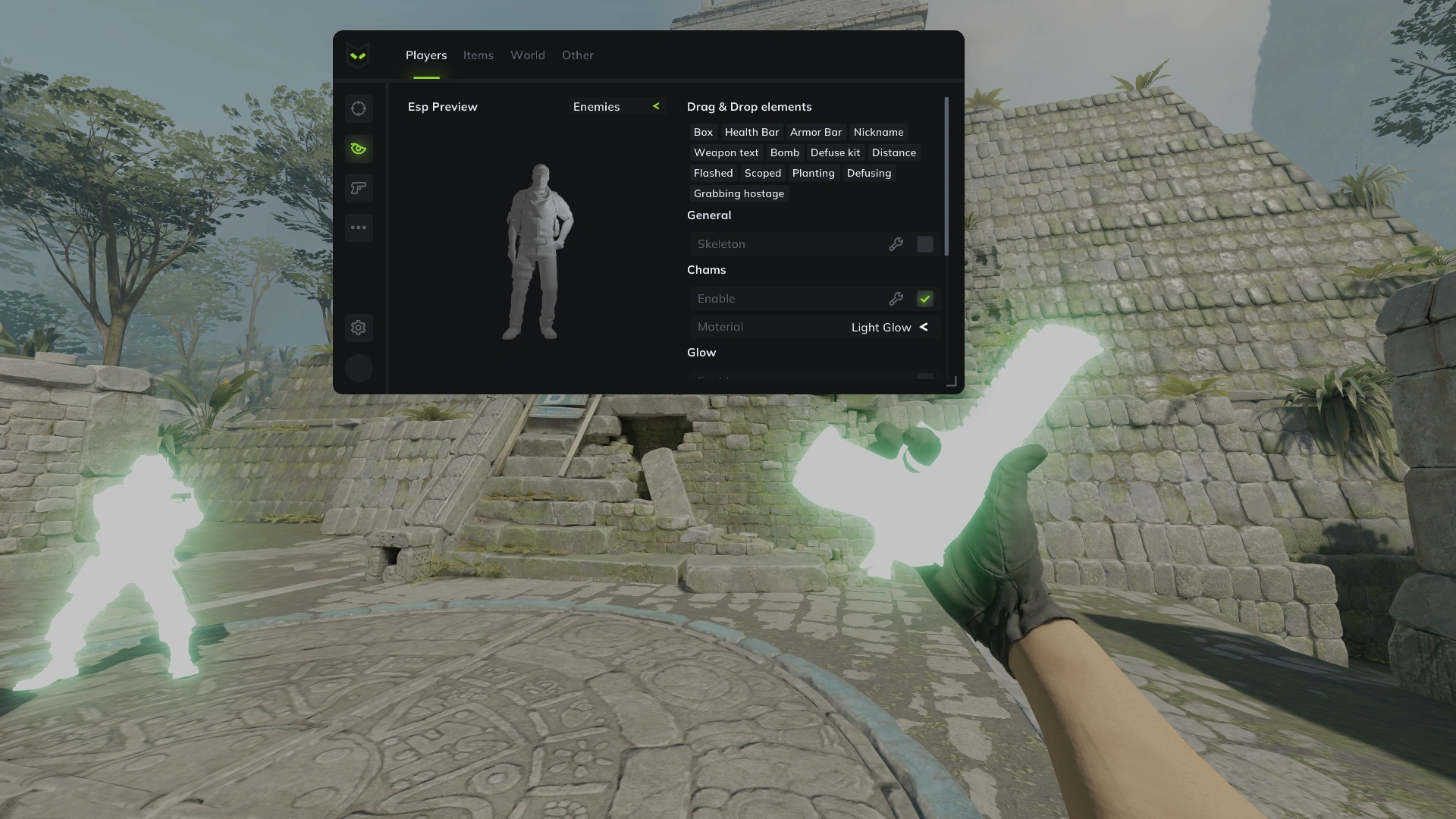
- Enemies - WH for enemies
- Teammates - WH for teammates
- Self - WH for yourself
- Box - WH as boxes
- Name - show players' nicknames
- Health - displays players' HP as a bar or text
- Armor - shows the amount of armor as a bar
- Weapon - displays the current weapon in players' hands (text or icon)
- Bomb - shows if a player has the bomb
- Distance - distance to a player in meters
- Status - current status or action of the player (aiming, flashed, planting the bomb, etc.)
- Only Visible - WH will only work on visible enemies
- Skeleton - WH as skeletons
- Arrows - direction to enemies displayed as arrows outside the screen view
- Chams - WH using Chams (configurable)
- Sound ESP - shows sound sources from players
- Player Avatars - displays player avatars next to their names
- Box - WH as boxes
- Ammo - display ammo count as a bar or text
- Weapon - show weapons as text or icons
- Distance - distance to an item in meters
- Chams - WH for items using Chams (with settings)
- Glow - glowing effect for items (configurable)
- Grenade & C4 ESP - displays grenades and C4
- Bomb Zone - shows the C4 blast zone
- Enabled - enable/disable Triggerbot
- Bones - select bones for trigger activation
- Hitchance - adjust the chance for successful trigger activation
- Friendly Fire - when enabled, the trigger will also work on teammates
- Only Scope - trigger works only when using scoped weapons (AWP, AUG, etc.)
- Ignore Smoke/Flash - when enabled, the trigger will not shoot through smoke or while flashed
- Delay Settings - configure delay after a kill or while switching targets
- Min Damage - the shot occurs only if the damage corresponds to the set value
- Auto Wall - allows the triggerbot to target enemies through obstacles
- Seeded Mode - adds a mode with stable behavior based on a specified seed number
- Weapon Settings – allows you to configure triggerbot parameters separately for each weapon and weapon group, similar to the aimbot
- Categories - select item categories for inventory addition
- Add Item - add a new item to inventory
- Seed - adjust item seed
- Wear - adjust item wear level
- Souvenir - mark item as a souvenir
- StatTrak - activate StatTrak counter for the item
- StatTrak Count - set the number of kills in the StatTrak counter
- Lobby Sync - the ability to disable the synchronization of skins in the lobby
- Cloud Sync - Allows you to manage skins via a web panel
- Nametag - Adds the ability to use custom name tags for items
- Pistols
- SMGs
- Shotguns
- Rifles
- Sniper Rifles
- Heavy Guns
- Equipment
- Knives
- Gloves
- Agents
- Medals
- Stickers
- Patches
- Charms
- Music Kits
- Effects - adjust visual effects for hits and kills
- Night Mode - activate night mode on the map
- World Modulate - customize environment colors
- Props - set custom colors for different props
- Sun - adjust sun settings and colors
- Light - change the color of light sources
- Clouds - customize clouds
- Skybox - change skybox textures
- Game Effects Changer - adjust colors for smokes, flashes, hits, explosions, etc.
- Grenade Helper - assist with grenade throws (configurable)
- C4 Timer - displays a countdown timer for planted C4
- Removals - remove various game effects
- Sniper Crosshair - add a static crosshair for sniper rifles
- Hitmarker - add a hitmarker when hitting the target
- Damage Indicator - shows an indicator when dealing damage
- Thirdperson View - enable third-person view (configurable)
- Viewmodel Changer - customize hand positions
- FOV Changer - adjust the field of view (viewing angle)
- Weather Effects - you can change the weather (rain, snow)
- Bloom – adds a glow effect and bright light areas
- Gamma – allows you to change the image gamma
- Wetness – adds a wetness effect to surfaces
- Wind – adds a wind effect
- Bullet Tracer – displays the flight trajectory of bullets
- Horizontal Aspect Ratio – adds a setting for the horizontal aspect ratio of the image
- Trusted Mode - safe mode (only legit options will work)
- Auto Accept - automatically accepts match invites
- Spectator List - displays a list of spectators watching you
- Keybind List - shows a list of assigned keybinds
- Streaming Mode - activate streamer mode
- Reveal Money - displays the amount of money other players have
- Preserve Killfeed - save the kill feed table
- Hit Sound - play a sound upon hitting a target (configurable)
- Radar - activate a customizable radar window (lots of settings)
- Chat Spam - activate text spamming in the chat with interval settings
- BunnyHop - enables free bunnyhopping
- Edge Jump - activates jumping before falling
- Reveal Votes - reveals the list of voted players
- No Visual Recoil & Punch - removes the visual effects of recoil
- Edge Bug - allows the player to land on the very edge of an object diagonally and completely avoid fall damage
- Disable Smoke Color Fading - disables the gradual color change of smoke
- Sniper Crosshair - crosshair for sniper rifles
- Auto Strafer – controls movement in the air to gain speed
- Pixel Surf – enables the ability to perform pixel surfing
- Jump Bug – adds the Jump Bug function to perform the corresponding movement technique
- Long Jump – a function that increases the jump distance
- Lua Scripts – adds support for custom Lua scripts
- Configs - system for saving configs and profiles
- Language - the cheat supports multiple languages (English, Russian)
- Menu Key - allows selecting a key for opening the menu
- Panic Key - the ability to assign a button for emergency shutdown of the cheat
- Unload - upon pressing the button, fully unloads the cheat from the game
- Predator Menu Settings - customize menu colors, active points, and visual effects (particles)
- Cloud Radar - enables cloud radar
- In-Game Radar – adds a radar directly to the game interface